

LINE Translation Bot Troubleshooting: 5 Common Issues and How to Fix Them
Published
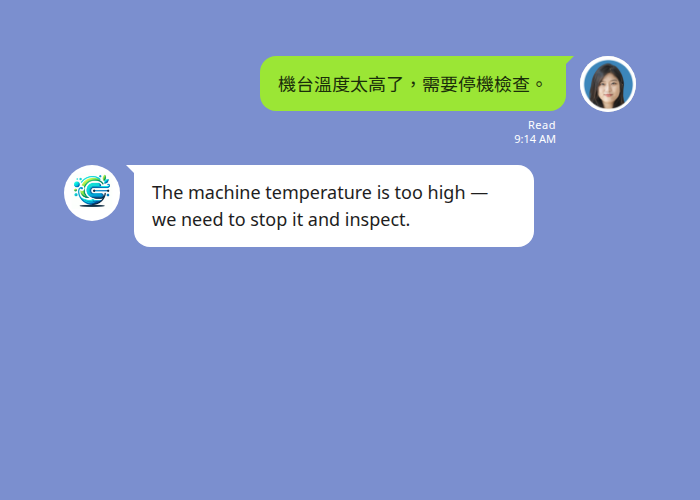
When a LINE translation bot stops doing its one job, work grinds to a halt — a supervisor’s instruction goes unread, a supplier’s question sits unanswered, a family member is left out of the thread. The good news: almost every “LINE translation not working” problem comes down to one of five causes, and each has a quick fix.
This guide walks through the five issues we see most often, the symptom you’ll notice, why it happens, and exactly how to fix it.
1. The bot isn’t translating anything at all
Symptom: You added the bot, but messages in the group come and go with no translation.
Why it happens: Two things have to be true before any translation appears — the bot has to be in the group, and the group has to be activated with its languages. Adding the bot as a friend is not the same as inviting it into a group, and a group that’s never been activated doesn’t yet know which languages to translate between.
The fix:
- Invite the bot into the group (Group settings → Invite → select the Echonora account).
- In the group, send the activation command naming the two languages you want, for example:
@Echonora English and Chinese. - The bot replies to confirm the languages are set. From that point, every message is translated.
Use plain language names, not codes — @Echonora English and Chinese, not @Echonora en and zh. You don’t need to memorise any codes.
2. The bot worked, then stopped partway through the day
Symptom: Translations were flowing, then suddenly stopped, and a message about the daily limit appeared.
Why it happens: On the Free plan, Echonora translates 20 messages a day per group. It’s a genuinely usable tier for light back-and-forth, but a busy shift or a long conversation can reach the ceiling. The count resets every day.
The fix:
- If you’ve hit the limit, translation resumes automatically at the next daily reset.
- If your group regularly needs more, upgrade to a paid plan for unlimited translation. You can do that any time at echonora.com/subscription — no email or phone call required.
One useful detail for teams: a paid subscription is per user, but the unlimited benefit covers every group that person is in. You don’t need a separate subscription for every employee — one paying member per group is enough to lift the whole group to unlimited.
3. Translations are coming out in the wrong language
Symptom: The bot translates, but into a language nobody expected — or into Simplified Chinese when you wanted Traditional.
Why it happens: The group was activated with the wrong language name, a typo, or an ambiguous one. The most common case: “Chinese” defaults to Traditional (繁體) unless you specify otherwise, which surprises teams expecting Simplified.
The fix:
- Re-run the activation command with the exact languages you want. To be specific about Chinese, name it directly — for example
@Echonora English and Simplified Chinese. - Accurate spelling helps. The bot tolerates small typos, but a clear language name avoids guesswork.
- Need to confirm what a language is called? See the full list of supported language pairs and exact activation syntax — 180+ languages are supported, and the reference page lists every one.
4. Voice messages aren’t translating — or come out garbled
Symptom: Text translates fine, but voice notes are missed or the transcription is wrong.
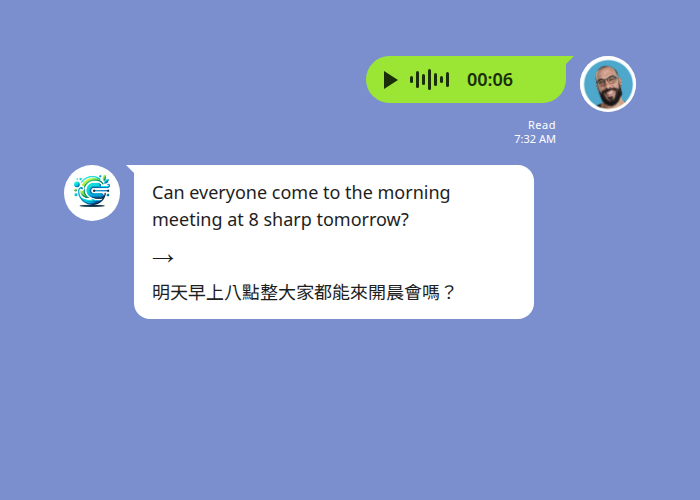
Why it happens: Voice messages are translated by first transcribing the audio, then translating the text. That works well in normal conditions, but background noise — a factory floor, a busy street, machinery — degrades the transcription, and strong regional accents can be misheard. Note also that only voice notes recorded in LINE are translated; audio files forwarded from other apps are not.
The fix:
- Record somewhere quieter when you can, and speak at a steady pace.
- Keep voice notes recorded inside LINE rather than forwarding audio from elsewhere.
- Remember the translation arrives as text, typically in 3–8 seconds. Your original voice note stays in the thread; the transcription and translation are posted alongside it — so anyone can re-read it later.
5. The bot reverted to the free limit for no obvious reason
Symptom: Your group had unlimited translation, then started hitting the 20-message daily cap again — even though nobody changed plans.
Why it happens: The subscription follows the user, not the group. If the paying member leaves or is removed from the group, the bot keeps working, but the group reverts to whichever plan its remaining members represent. If no paying member is left, that’s the Free plan’s 20-message daily limit.
The fix:
- Make sure at least one member with an active paid plan stays in the group.
- If the previous payer has gone for good, have another member upgrade at echonora.com/subscription — that single subscription lifts the whole group back to unlimited.
For teams, the practical pattern is to put paid accounts on people who are stable members of each group — a shift lead or site manager — rather than on whoever happens to set the group up.
Start Using Echonora — Break Language Barriers
180+ languages, real-time text and voice translation right inside your LINE group.
Frequently asked questions
Why did my translation suddenly stop mid-conversation? You’ve most likely reached the Free plan’s 20-messages-a-day limit. It resets daily, or you can upgrade for unlimited translation.
Do I have to re-add the bot if it stops working? Almost never. Check first that the bot is still in the group and that the group is activated. Re-running the activation command fixes most “stopped working” cases.
Can I change the languages after setup? Yes. Just send the activation command again with the new languages — the latest command wins.
Is my chat data safe? Messages are processed to deliver translation and stay in your LINE thread. See the privacy policy for data-handling specifics.
For more setup and usage guidance, see the full LINE Translation Bot Guide. Still stuck? You can DM @Echonora directly in LINE — the bot answers setup and troubleshooting questions itself.
Fix it for good — translate every message automatically
Add Echonora to your LINE group and get instant text and voice translation in 180+ languages.